
Download Network Scanner – Secure Wi‑Fi Monitoring, Parental Controls & Bandwidth Management
Introduction & Overview
In today’s hyper‑connected homes and small‑business environments, a slow or compromised Wi‑Fi network can quickly become a major headache. Network Scanner is a dedicated application designed to give users full visibility into every device, program, and service that is riding on their wireless connection. By delivering real‑time scans, detailed diagnostics, and actionable recommendations, this tool helps you protect bandwidth, block unauthorized users, and keep potentially vulnerable software in check.
Whether you’re a parent worried about inappropriate content, a freelancer needing to safeguard client data, or simply a tech‑savvy homeowner wanting to squeeze every megabit out of your router, Network Scanner offers a comprehensive suite of features that go beyond the basics of a standard Wi‑Fi analyzer. The software is lightweight—requiring just 12.8 MB of memory before the download begins—yet it packs powerful detection engines capable of spotting hidden devices, identifying rogue access points, and flagging applications that may be leaking data to spyware or malware. With built‑in parental controls, time‑limit settings, and clear guidance on how to remediate discovered threats, Network Scanner transforms a potentially overwhelming security task into a user‑friendly experience.
In the sections that follow, we’ll explore the core capabilities, walk through the installation process across major platforms, examine the pros and cons, and answer the most common questions users have before they decide to download this free, secure tool.
Core Features & How It Works
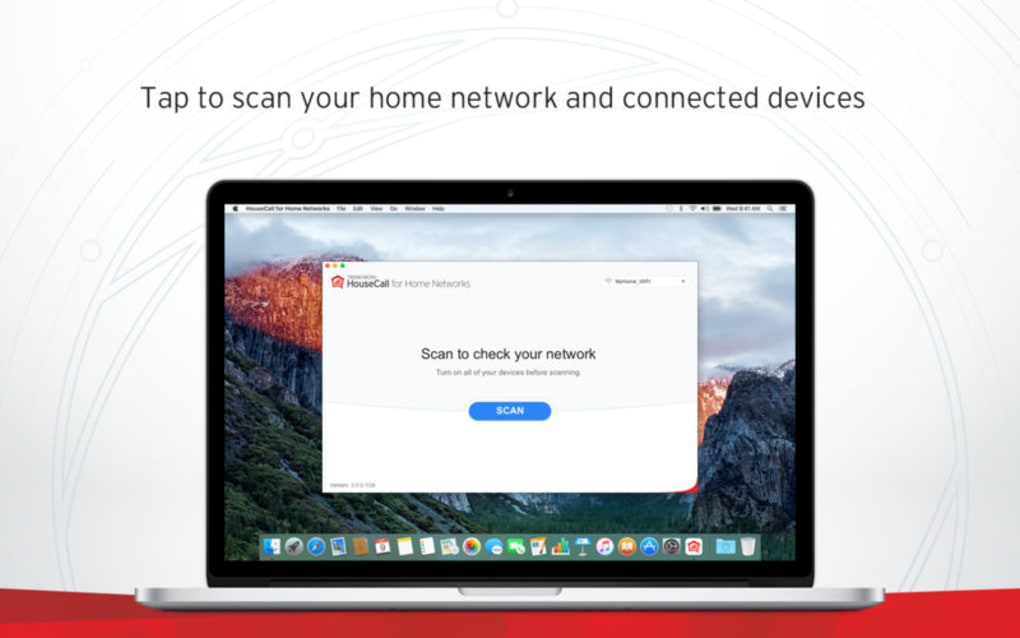
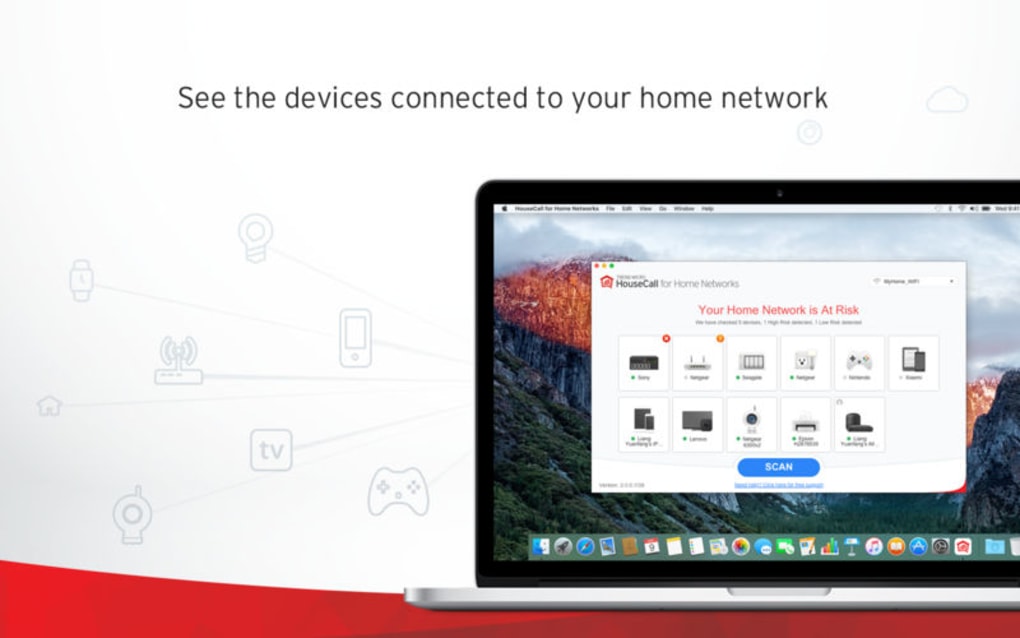
- Real‑time Device Discovery: Instantly lists every device connected to your Wi‑Fi, including hidden or “stealth” devices that may be using MAC address spoofing.
- Bandwidth Usage Monitoring: Shows how much data each device consumes, helping you spot bandwidth hogs and allocate resources more efficiently.
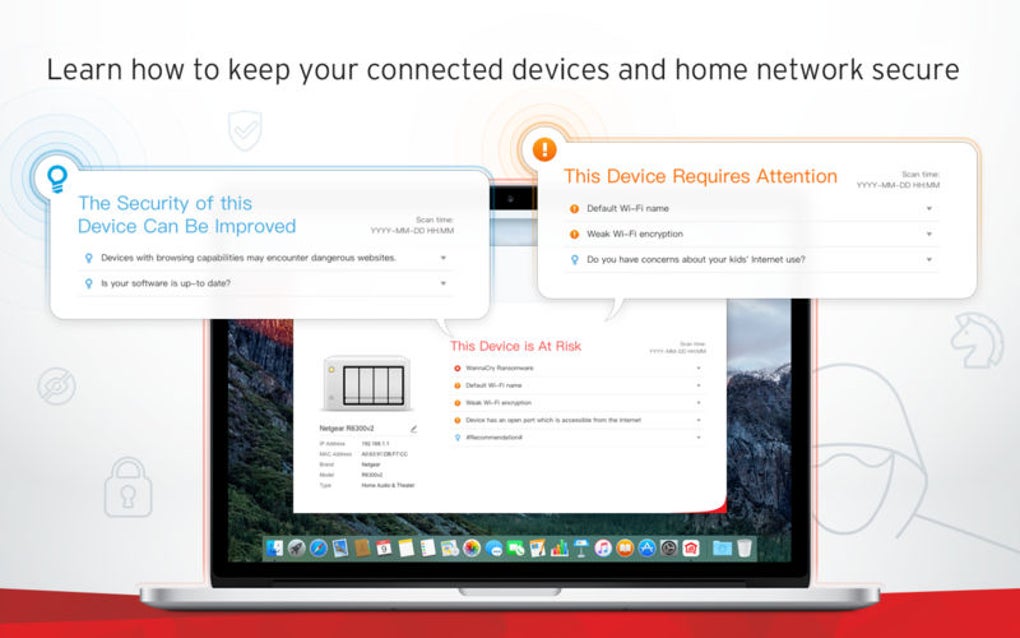
- Vulnerability Detection: Scans active applications for known spyware, malware signatures, and insecure protocols, then offers remediation steps.
- Parental Controls & Content Filtering: Allows you to set safe‑search levels, block specific categories of websites, and schedule internet access windows for child devices.
- Time‑Limit Scheduling: Configure daily or monthly usage caps per device to avoid surprise ISP overage charges.
- Alert System: Push notifications and email alerts are triggered when new devices join the network or when suspicious activity is detected.
- Comprehensive Reporting: Export scan results to CSV or PDF for audit purposes, useful for small businesses that need documentation.
- Cross‑Platform Support: Available for Windows 10/11, macOS 10.13+, Android 8.0+, and iOS 13+, ensuring you can monitor from any primary device.
Under the hood, Network Scanner uses a combination of passive sniffing and active probing to map the wireless environment. Passive sniffing listens for broadcast traffic, capturing device identifiers without sending additional packets—this keeps the scan stealthy and non‑intrusive. Active probing, on the other hand, sends targeted queries to verify the presence of devices that may be silent on the network.
By merging these two approaches, the application achieves a high detection rate while maintaining low CPU usage, which is essential for laptops and mobile devices that need to run the scan while multitasking. The vulnerability engine pulls data from an up‑to‑date CVE database, ensuring that newly disclosed exploits are recognized promptly. When a risk is identified, the software does not merely flag the issue; it provides step‑by‑step guidance—such as updating a specific app, changing a router password, or disabling an insecure protocol—to empower users to remediate the problem without needing deep technical expertise.
Installation, Compatibility, Usage & Evaluation
Installation & First‑Run Guide
Downloading Network Scanner is straightforward. Visit the official website, click the “Download for Windows” (or macOS, Android, iOS) button, and the installer will begin automatically—remember the 12.8 MB pre‑download requirement. On Windows, run the .exe file and follow the wizard: accept the license agreement, choose an installation folder (the default works for most users), and opt‑in for automatic updates to keep the vulnerability database fresh. macOS users will receive a .dmg image; simply drag the app into the Applications folder. Android and iOS versions are distributed via Google Play and the Apple App Store respectively, ensuring a secure installation path and automatic background updates. After installation, launch the program and grant the necessary network permissions; the app will request access to your local network to perform scans—a requirement that is explained clearly during onboarding.
Compatibility (itemprop="operatingSystem")
Network Scanner runs on the following operating systems:
- Windows 10, Windows 11 (64‑bit)
- macOS 10.13 High Sierra and later (Intel & Apple Silicon)
- Android 8.0 Oreo and later
- iOS 13 and later (iPadOS included)
The application is optimized for modern hardware but also works on older laptops with as little as 2 GB RAM, thanks to its lightweight architecture. For the best experience, ensure that your router firmware is up‑to‑date, as older routers may limit the visibility of some devices due to outdated broadcast standards.
Pros and Cons
- Pros:
- Free to download and use with no hidden fees.
- Intuitive UI that guides non‑technical users through complex scans.
- Comprehensive feature set—device detection, bandwidth monitoring, parental controls, and vulnerability alerts—all in one app.
- Cross‑platform support lets you manage networks from any primary device.
- Regular automatic updates keep security signatures current.
- Cons:
- Advanced users may find the reporting format less customizable than enterprise‑grade tools.
- Some deep‑packet‑inspection features are limited on iOS due to system restrictions.
- Initial scan can take a few minutes on very large networks with many devices.
Frequently Asked Questions (FAQ)
Is Network Scanner safe to use on a home Wi‑Fi network?
Yes. The application only monitors traffic that is already broadcast on your network and does not inject or alter packets, making it completely non‑intrusive and safe for both personal and family use.Can I use Network Scanner to block a specific device?
While the tool itself does not directly block devices, it identifies them and provides the MAC address so you can create a block rule in your router’s admin panel. The app also offers quick‑link shortcuts to common router interfaces.Does the free version include parental controls?
All core parental‑control features—such as content filtering, time limits, and safe‑search enforcement—are included in the free version. Premium add‑ons, like advanced schedule templates, are optional.How often is the vulnerability database updated?
Network Scanner checks for updates daily and automatically downloads the latest CVE signatures, ensuring you are protected against newly discovered threats without manual intervention.Will the app work on a guest Wi‑Fi network?
Yes. As long as the device running Network Scanner is connected to the same subnet as the guest network, it can scan and report on devices within that segment.Conclusion & Call to Action
Network Scanner delivers a robust, all‑in‑one solution for anyone who wants to keep their wireless environment secure, efficient, and family‑friendly. Its blend of real‑time device discovery, bandwidth analytics, vulnerability alerts, and parental controls makes it a standout among free network utilities. The user‑centric design ensures that even those with limited technical background can quickly identify rogue devices, curb excessive data usage, and protect children from inappropriate content—all without the need for costly enterprise software.
While power users may crave deeper customization, the core feature set is more than sufficient for typical home and small‑office scenarios. If you’re experiencing sluggish internet speeds, suspect unauthorized access, or simply want to enforce safe‑online habits for your family, downloading Network Scanner is a logical next step. Click the button below to start your free, secure download and take the first stride toward a healthier, faster, and safer Wi‑Fi experience.
Download Network Scanner NowPros: Free, intuitive UI, comprehensive features, cross‑platform.
Cons: Limited deep‑packet‑inspection on iOS, basic reporting for enterprise needs.







